Command & Conquer: Generals – Zero Hour Keyboard controls
- Windows
- 44 default keybinds
- Strategy →
- Command & Conquer collection →
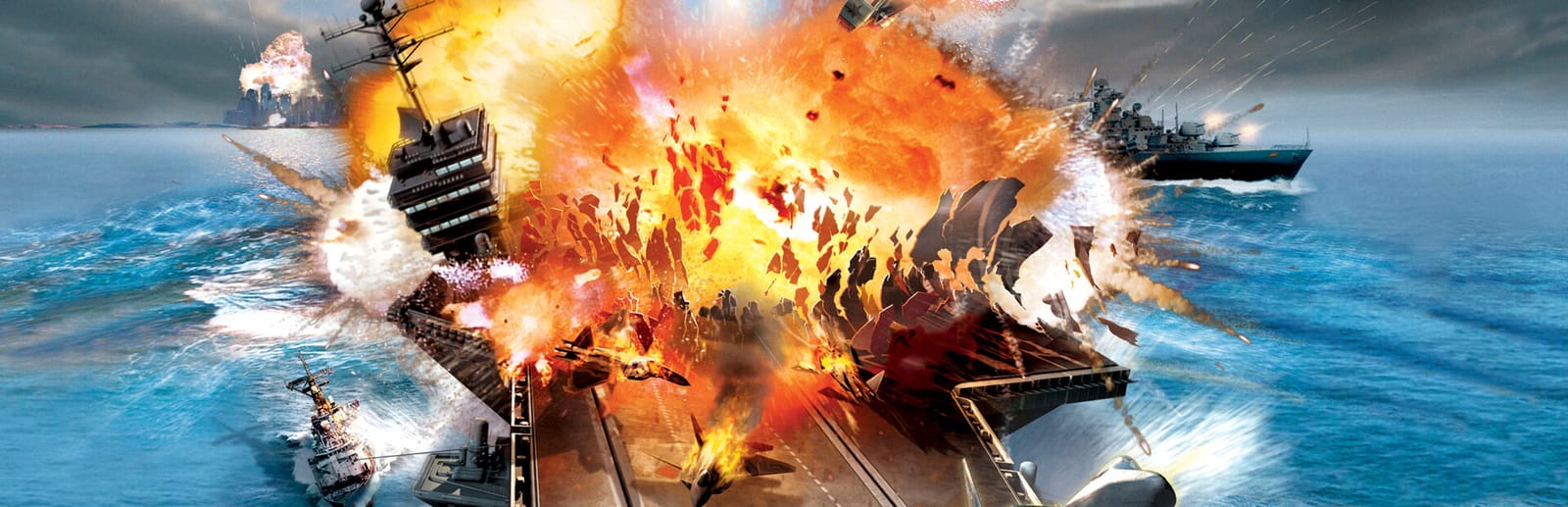
Cover art © its publisher — for identification only. Cover © its publisher. Details
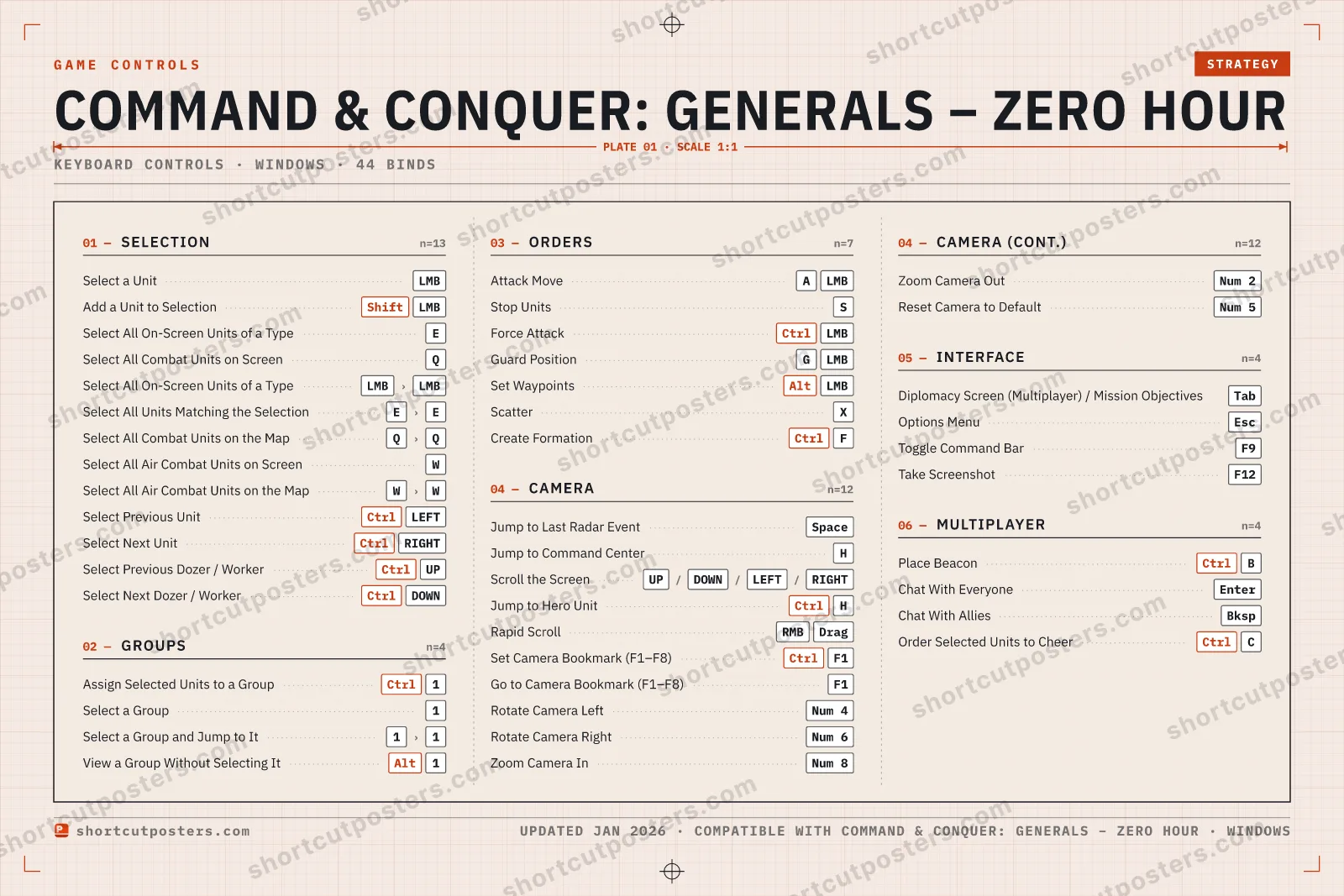
Zero Hour keeps Generals' left-click scheme: a held letter plus a left-click gives the order — A to attack-move, G to guard, Ctrl to force attack — and Alt-clicks lay a chain of waypoints. Q, W and E sweep up combat units, aircraft and matching types (tap twice to reach across the map), while F1–F8 hold camera bookmarks and Ctrl+H jumps to your hero unit. Taken from the key reference printed on the back of EA's retail manual.
All Command & Conquer: Generals – Zero Hour keyboard controls
44 shortcuts
Selection 13
| Action | Shortcut |
|---|---|
| Select a Unit | LMB |
| Add a Unit to Selection | ShiftLMB |
| Select All On-Screen Units of a Type | E |
| Select All Combat Units on Screen | Q |
| Select All On-Screen Units of a Type (Mouse) | LMBthenLMB |
| Select All Units Matching the Selection | EthenE |
| Select All Combat Units on the Map | QthenQ |
| Select All Air Combat Units on Screen | W |
| Select All Air Combat Units on the Map | WthenW |
| Select Previous Unit | CtrlLEFT |
| Select Next Unit | CtrlRIGHT |
| Select Previous Dozer / Worker | CtrlUP |
| Select Next Dozer / Worker | CtrlDOWN |
Camera 12
| Action | Shortcut |
|---|---|
| Jump to Last Radar Event | Space |
| Jump to Command Center | H |
| Scroll the Screen | UPthenDOWNthenLEFTthenRIGHT |
| Jump to Hero Unit | CtrlH |
| Rapid Scroll | RMBDrag |
| Set Camera Bookmark (F1–F8) | CtrlF1 |
| Go to Camera Bookmark (F1–F8) | F1 |
| Rotate Camera Left | Num 4 |
| Rotate Camera Right | Num 6 |
| Zoom Camera In | Num 8 |
| Zoom Camera Out | Num 2 |
| Reset Camera to Default | Num 5 |
Orders 7
| Action | Shortcut |
|---|---|
| Attack Move | ALMB |
| Stop Units | S |
| Force Attack | CtrlLMB |
| Guard Position | GLMB |
| Set Waypoints | AltLMB |
| Scatter | X |
| Create Formation | CtrlF |
Groups 4
| Action | Shortcut |
|---|---|
| Assign Selected Units to a Group | Ctrl1 |
| Select a Group | 1 |
| Select a Group and Jump to It | 1then1 |
| View a Group Without Selecting It | Alt1 |
Interface 4
| Action | Shortcut |
|---|---|
| Diplomacy Screen (Multiplayer) / Mission Objectives (Campaign) | Tab |
| Options Menu | Esc |
| Toggle Command Bar | F9 |
| Take Screenshot | F12 |
Multiplayer 4
| Action | Shortcut |
|---|---|
| Place Beacon | CtrlB |
| Chat With Everyone | Enter |
| Chat With Allies | Bksp |
| Order Selected Units to Cheer | CtrlC |
Sourced from archive.org Last verified
44 default keybinds across 6 categories. Most can be reassigned in Command & Conquer: Generals – Zero Hour's control settings.
Unofficial reference. ShortcutPosters is not affiliated with, endorsed by, or sponsored by Command & Conquer: Generals – Zero Hour. All product names, logos, and trademarks are property of their respective owners. See our licensing & trademark notice.
Command & Conquer: Generals – Zero Hour, framed.
Every bind, razor-sharp.
Print-ready 36×24″ at 300 DPI. No watermark. Hang it, gift it, or turn it into a desk mat.
- Free preview
- 1600 px · watermarked
- Print-ready
- 10 800 px · frame quality
- Frame it36×24″, A1 or A2
- Desk matany print shop
- Gift itfor your duo or squad
Command & Conquer: Generals – Zero Hour controls — FAQ
- What are the default controls for Command & Conquer: Generals – Zero Hour?
- Command & Conquer: Generals – Zero Hour, a strategy game, uses 44 default keybinds across 6 categories. The complete, up-to-date list is free to read on this page.
- Can you remap Command & Conquer: Generals – Zero Hour controls?
- Yes. These are the game's default bindings — nearly all of them can be reassigned from Command & Conquer: Generals – Zero Hour's in-game control or key-binding settings.
- Which platforms do these Command & Conquer: Generals – Zero Hour controls cover?
- These keyboard controls apply on Windows. Most bindings are identical across platforms unless noted.
- Is this an official Command & Conquer: Generals – Zero Hour resource?
- No. This is an unofficial reference and is not affiliated with or endorsed by Command & Conquer: Generals – Zero Hour or its publisher. All trademarks belong to their respective owners.
Thanks — your feedback helps us improve.
Command & Conquer collection
9 Command & Conquer games in the catalogue, every control scheme free to read.
See all 9 Command & Conquer games →