The Sims 3 Keyboard controls
- Windows
- 45 default keybinds
- Simulation →
- The Sims collection →
Cover art © its publisher — for identification only. Cover © its publisher. Details
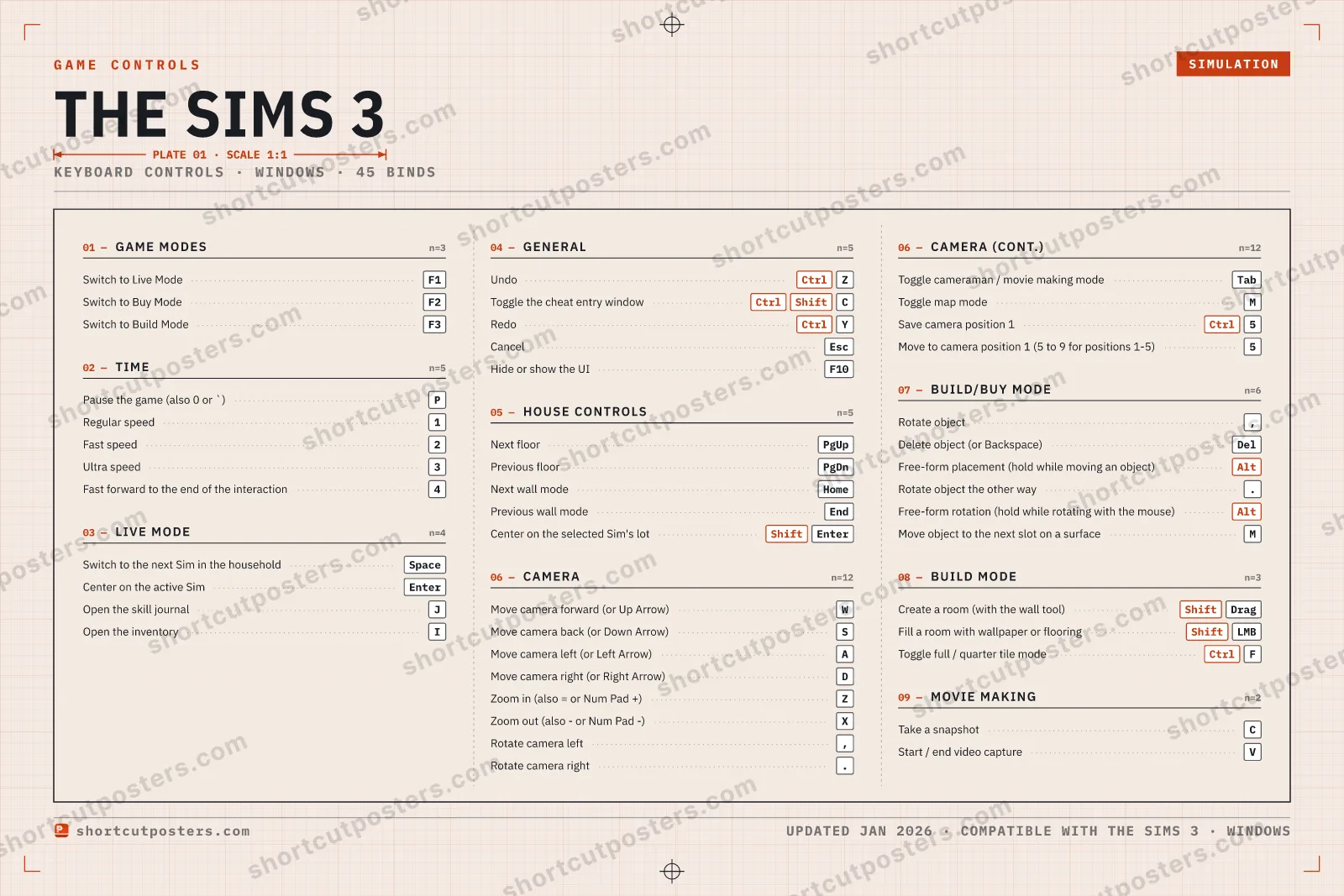
The Sims 3 is Maxis' 2009 life simulation with a seamless open neighborhood, and its default keys come straight from the Key Commands card printed in the retail PC manual. The function keys jump between Live, Buy and Build Mode, 1 to 4 set the clock speed, and Page Up/Down plus Home/End walk you through floors and wall views while you build.
All The Sims 3 keyboard controls
45 shortcuts
Camera 12
| Action | Shortcut |
|---|---|
| Move camera forward (or Up Arrow) | W |
| Move camera back (or Down Arrow) | S |
| Move camera left (or Left Arrow) | A |
| Move camera right (or Right Arrow) | D |
| Zoom in (also = or Num Pad +) | Z |
| Zoom out (also - or Num Pad -) | X |
| Rotate camera left | , |
| Rotate camera right | . |
| Toggle cameraman / movie making mode | Tab |
| Toggle map mode | M |
| Save camera position 1 (Ctrl+5 to Ctrl+9 for positions 1-5) | Ctrl5 |
| Move to camera position 1 (5 to 9 for positions 1-5) | 5 |
Build/Buy Mode 6
| Action | Shortcut |
|---|---|
| Rotate object | , |
| Delete object (or Backspace) | Del |
| Free-form placement (hold while moving an object) | Alt |
| Rotate object the other way | . |
| Free-form rotation (hold while rotating with the mouse) | Alt |
| Move object to the next slot on a surface | M |
General 5
| Action | Shortcut |
|---|---|
| Undo | CtrlZ |
| Toggle the cheat entry window | CtrlShiftC |
| Redo | CtrlY |
| Cancel | Esc |
| Hide or show the UI | F10 |
Time 5
| Action | Shortcut |
|---|---|
| Pause the game (also 0 or `) | P |
| Regular speed | 1 |
| Fast speed | 2 |
| Ultra speed | 3 |
| Fast forward to the end of the interaction | 4 |
House Controls 5
| Action | Shortcut |
|---|---|
| Next floor | PgUp |
| Previous floor | PgDn |
| Next wall mode | Home |
| Previous wall mode | End |
| Center on the selected Sim's lot | ShiftEnter |
Live Mode 4
| Action | Shortcut |
|---|---|
| Switch to the next Sim in the household | Space |
| Center on the active Sim | Enter |
| Open the skill journal | J |
| Open the inventory | I |
Game Modes 3
| Action | Shortcut |
|---|---|
| Switch to Live Mode | F1 |
| Switch to Buy Mode | F2 |
| Switch to Build Mode | F3 |
Build Mode 3
| Action | Shortcut |
|---|---|
| Create a room (with the wall tool) | ShiftDrag |
| Fill a room with wallpaper or flooring | ShiftLMB |
| Toggle full / quarter tile mode | CtrlF |
Movie Making 2
| Action | Shortcut |
|---|---|
| Take a snapshot | C |
| Start / end video capture | V |
Sourced from archive.org Last verified
+ 6 more controls in the table below
+ 6 more controls in the table below
45 default keybinds across 9 categories. Most can be reassigned in The Sims 3's control settings.
Unofficial reference. ShortcutPosters is not affiliated with, endorsed by, or sponsored by The Sims 3. All product names, logos, and trademarks are property of their respective owners. See our licensing & trademark notice.
The Sims 3, framed.
Every bind, razor-sharp.
Print-ready 36×24″ at 300 DPI. No watermark. Hang it, gift it, or turn it into a desk mat.
- Free preview
- 1600 px · watermarked
- Print-ready
- 10 800 px · frame quality
- Frame it36×24″, A1 or A2
- Desk matany print shop
- Gift itfor your duo or squad
The Sims 3 controls — FAQ
- What are the default controls for The Sims 3?
- The Sims 3, a simulation game, uses 45 default keybinds across 9 categories. The complete, up-to-date list is free to read on this page.
- Can you remap The Sims 3 controls?
- Yes. These are the game's default bindings — nearly all of them can be reassigned from The Sims 3's in-game control or key-binding settings.
- Which platforms do these The Sims 3 controls cover?
- These keyboard controls apply on Windows. Most bindings are identical across platforms unless noted.
- Is this an official The Sims 3 resource?
- No. This is an unofficial reference and is not affiliated with or endorsed by The Sims 3 or its publisher. All trademarks belong to their respective owners.
Thanks — your feedback helps us improve.
The Sims collection
3 The Sims games in the catalogue, every control scheme free to read.
See all 3 The Sims games →