PEAK Keyboard controls
- Windows
- 23 default keybinds
- Survival & Sandbox →
Cover art © its publisher — for identification only. Cover © its publisher. Details
PEAK is a co-op mountain-climbing survival game where a band of stranded scouts must scale a treacherous island peak together. Its controls cover free movement, stamina-based climbing, item juggling from a shared backpack, and quick team communication.
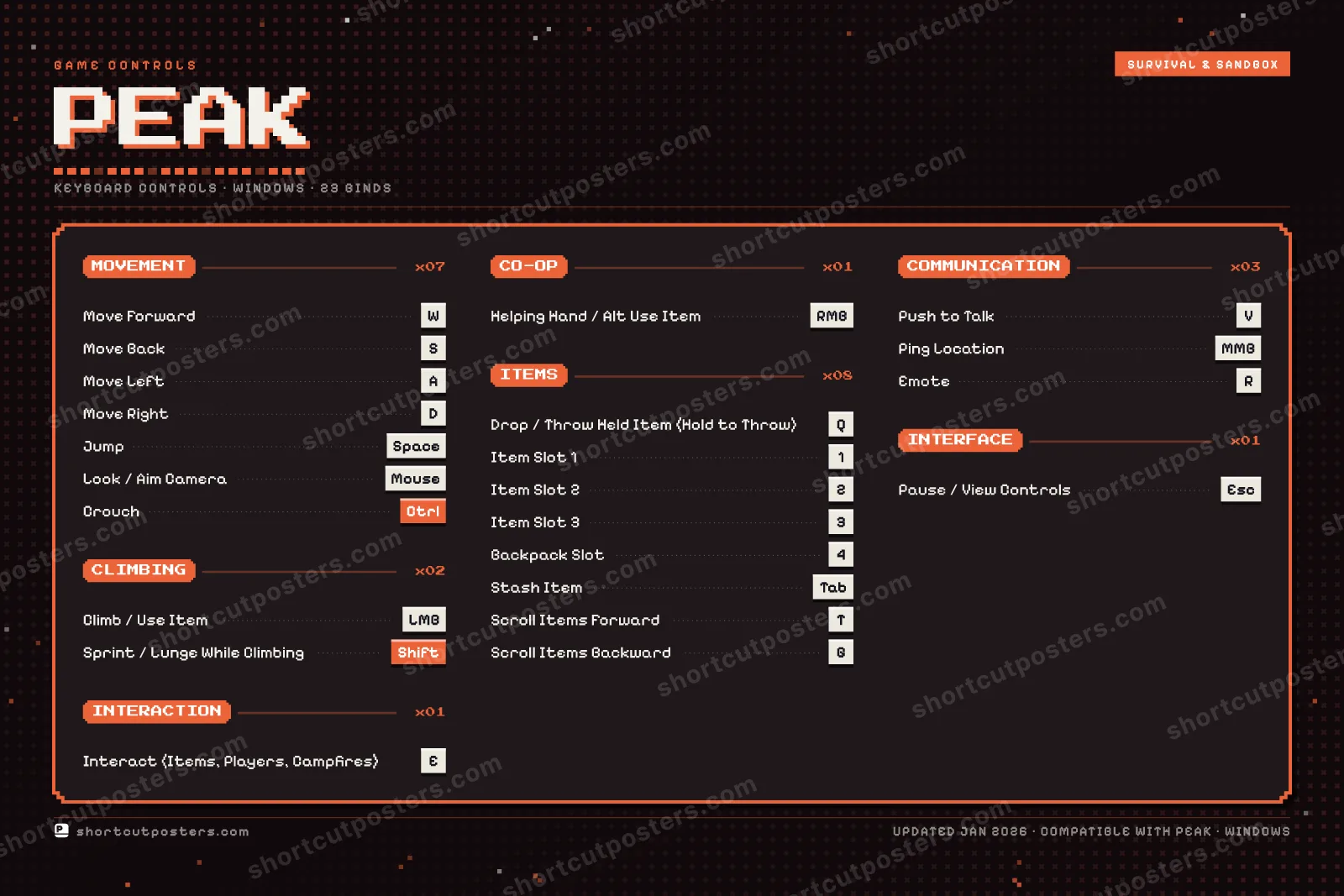
All PEAK keyboard controls
Items 8
| Action | Shortcut |
|---|---|
| Drop / Throw Held Item (Hold to Throw) | Q |
| Item Slot 1 | 1 |
| Item Slot 2 | 2 |
| Item Slot 3 | 3 |
| Backpack Slot | 4 |
| Stash Item | Tab |
| Scroll Items Forward | T |
| Scroll Items Backward | G |
Movement 7
| Action | Shortcut |
|---|---|
| Move Forward | W |
| Move Back | S |
| Move Left | A |
| Move Right | D |
| Jump | Space |
| Look / Aim Camera | Mouse |
| Crouch | Ctrl |
Communication 3
| Action | Shortcut |
|---|---|
| Push to Talk | V |
| Ping Location | MMB |
| Emote | R |
Climbing 2
| Action | Shortcut |
|---|---|
| Climb / Use Item | LMB |
| Sprint / Lunge While Climbing | Shift |
Co-op 1
| Action | Shortcut |
|---|---|
| Helping Hand / Alt Use Item | RMB |
Interaction 1
| Action | Shortcut |
|---|---|
| Interact (Items, Players, Campfires) | E |
Interface 1
| Action | Shortcut |
|---|---|
| Pause / View Controls | Esc |
Sourced from peak.wiki.gg, destructoid.com, gamerblurb.com, store.steampowered.com Last verified
+ 1 more control in the table below
+ 1 more control in the table below
23 default keybinds across 7 categories. Most can be reassigned in PEAK's control settings.
Unofficial reference. ShortcutPosters is not affiliated with, endorsed by, or sponsored by PEAK. All product names, logos, and trademarks are property of their respective owners. See our licensing & trademark notice.
PEAK, framed.
Every bind, razor-sharp.
Print-ready 36×24″ at 300 DPI. No watermark. Hang it, gift it, or turn it into a desk mat.
- Free preview
- 1600 px · watermarked
- Print-ready
- 10 800 px · frame quality
- Frame it36×24″, A1 or A2
- Desk matany print shop
- Gift itfor your duo or squad
PEAK controls — FAQ
- What are the default controls for PEAK?
- PEAK, a survival & sandbox game, uses 23 default keybinds across 7 categories. The complete, up-to-date list is free to read on this page.
- Can you remap PEAK controls?
- Yes. These are the game's default bindings — nearly all of them can be reassigned from PEAK's in-game control or key-binding settings.
- Which platforms do these PEAK controls cover?
- These keyboard controls apply on Windows. Most bindings are identical across platforms unless noted.
- Is this an official PEAK resource?
- No. This is an unofficial reference and is not affiliated with or endorsed by PEAK or its publisher. All trademarks belong to their respective owners.
Thanks — your feedback helps us improve.