Factorio Keyboard controls
- Windows
- 45 default keybinds
- Simulation →
Cover art © its publisher — for identification only. Cover © its publisher. Details
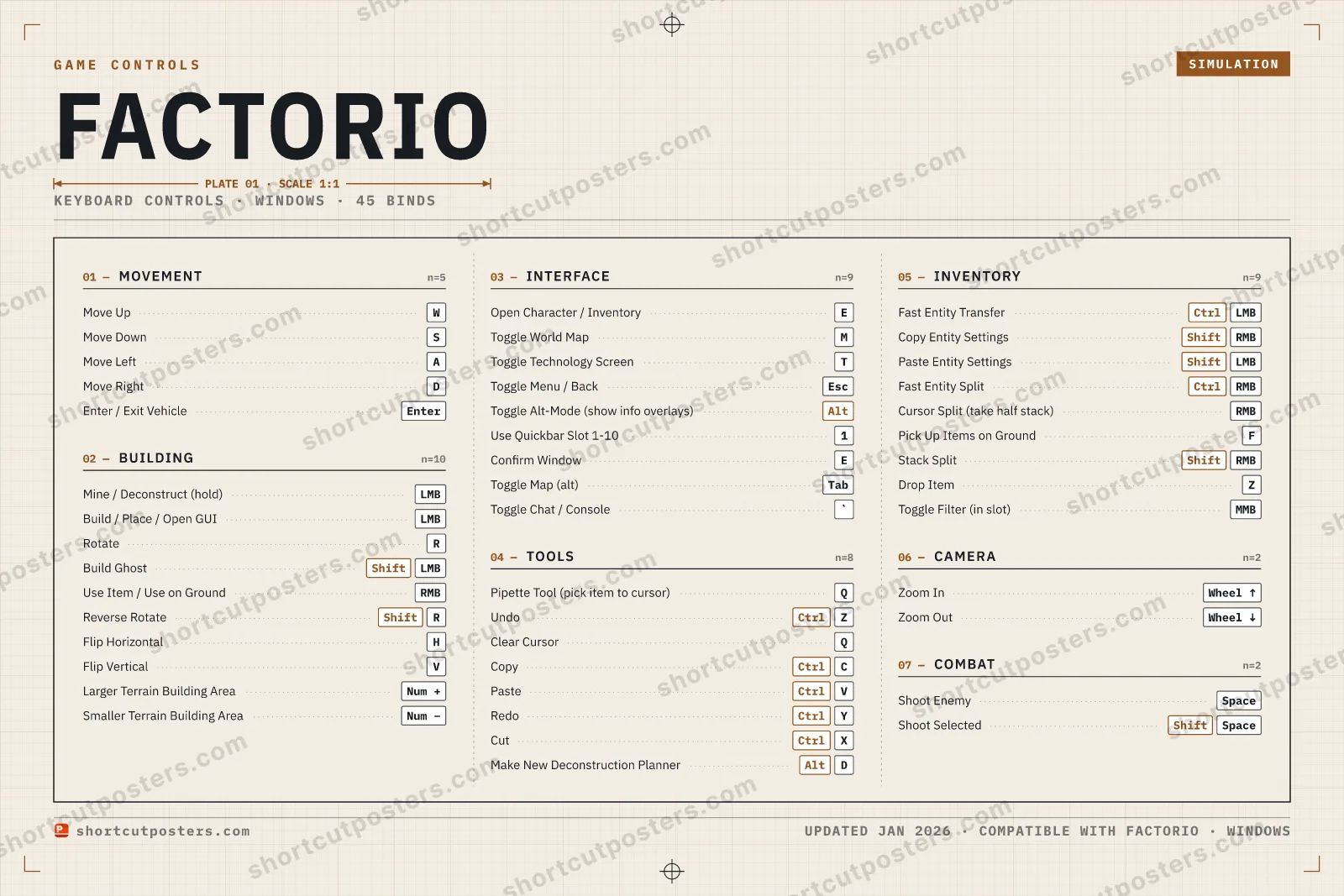
A complete reference to the default keyboard and mouse controls for Factorio on PC. Learn the default keybindings for moving your character, mining and building, rotating and flipping, managing your inventory, fast-transferring items, copying and pasting machine settings, working with blueprints, and navigating the map so you can build and automate your factory faster.
All Factorio keyboard controls
45 shortcuts
Building 10
| Action | Shortcut |
|---|---|
| Mine / Deconstruct (hold) | LMB |
| Build / Place / Open GUI | LMB |
| Rotate | R |
| Build Ghost | ShiftLMB |
| Use Item / Use on Ground | RMB |
| Reverse Rotate | ShiftR |
| Flip Horizontal | H |
| Flip Vertical | V |
| Larger Terrain Building Area | Num + |
| Smaller Terrain Building Area | Num − |
Inventory 9
| Action | Shortcut |
|---|---|
| Fast Entity Transfer | CtrlLMB |
| Copy Entity Settings | ShiftRMB |
| Paste Entity Settings | ShiftLMB |
| Fast Entity Split | CtrlRMB |
| Cursor Split (take half stack) | RMB |
| Pick Up Items on Ground | F |
| Stack Split | ShiftRMB |
| Drop Item | Z |
| Toggle Filter (in slot) | MMB |
Interface 9
| Action | Shortcut |
|---|---|
| Open Character / Inventory | E |
| Toggle World Map | M |
| Toggle Technology Screen | T |
| Toggle Menu / Back | Esc |
| Toggle Alt-Mode (show info overlays) | Alt |
| Use Quickbar Slot 1-10 | 1 |
| Confirm Window | E |
| Toggle Map (alt) | Tab |
| Toggle Chat / Console | ` |
Tools 8
| Action | Shortcut |
|---|---|
| Pipette Tool (pick item to cursor) | Q |
| Undo | CtrlZ |
| Clear Cursor | Q |
| Copy | CtrlC |
| Paste | CtrlV |
| Redo | CtrlY |
| Cut | CtrlX |
| Make New Deconstruction Planner | AltD |
Movement 5
| Action | Shortcut |
|---|---|
| Move Up | W |
| Move Down | S |
| Move Left | A |
| Move Right | D |
| Enter / Exit Vehicle | Enter |
Camera 2
| Action | Shortcut |
|---|---|
| Zoom In | Wheel ↑ |
| Zoom Out | Wheel ↓ |
Combat 2
| Action | Shortcut |
|---|---|
| Shoot Enemy | Space |
| Shoot Selected | ShiftSpace |
Sourced from wiki.factorio.com Last verified Shortcuts last changed
+ 2 more controls in the table below
+ 2 more controls in the table below
45 default keybinds across 7 categories. Most can be reassigned in Factorio's control settings.
Unofficial reference. ShortcutPosters is not affiliated with, endorsed by, or sponsored by Factorio. All product names, logos, and trademarks are property of their respective owners. See our licensing & trademark notice.
Factorio, framed.
Every bind, razor-sharp.
Print-ready 36×24″ at 300 DPI. No watermark. Hang it, gift it, or turn it into a desk mat.
- Free preview
- 1600 px · watermarked
- Print-ready
- 10 800 px · frame quality
- Frame it36×24″, A1 or A2
- Desk matany print shop
- Gift itfor your duo or squad
These shortcuts, on physical keys
There is a Stream Deck profile for Factorio — 118 shortcuts laid out across the keys, each one labelled, installed by double-clicking a file. It fits every current Stream Deck model.
Factorio controls — FAQ
- What are the default controls for Factorio?
- Factorio, a simulation game, uses 45 default keybinds across 7 categories. The complete, up-to-date list is free to read on this page.
- Can you remap Factorio controls?
- Yes. These are the game's default bindings — nearly all of them can be reassigned from Factorio's in-game control or key-binding settings.
- Which platforms do these Factorio controls cover?
- These keyboard controls apply on Windows. Most bindings are identical across platforms unless noted.
- Is this an official Factorio resource?
- No. This is an unofficial reference and is not affiliated with or endorsed by Factorio or its publisher. All trademarks belong to their respective owners.
Thanks — your feedback helps us improve.