Anno 1701 - History Edition Keyboard controls
- Windows
- 42 default keybinds
- Strategy →
- Anno collection →
Cover art © its publisher — for identification only. Cover © its publisher. Details
Anno 1701 takes the Anno series to the colonial age, where settlers sail out to uncharted islands, found a colony and grow it into a trading power while dealing with rival nations, pirates and the crown back home. The History Edition remasters the 2006 game and its Sunken Dragon expansion for modern displays, and keeps the original key layout: function keys for camera presets and menus, building rotation and pipette keys, game speed, quick saves and ctrl-numbered unit groups.
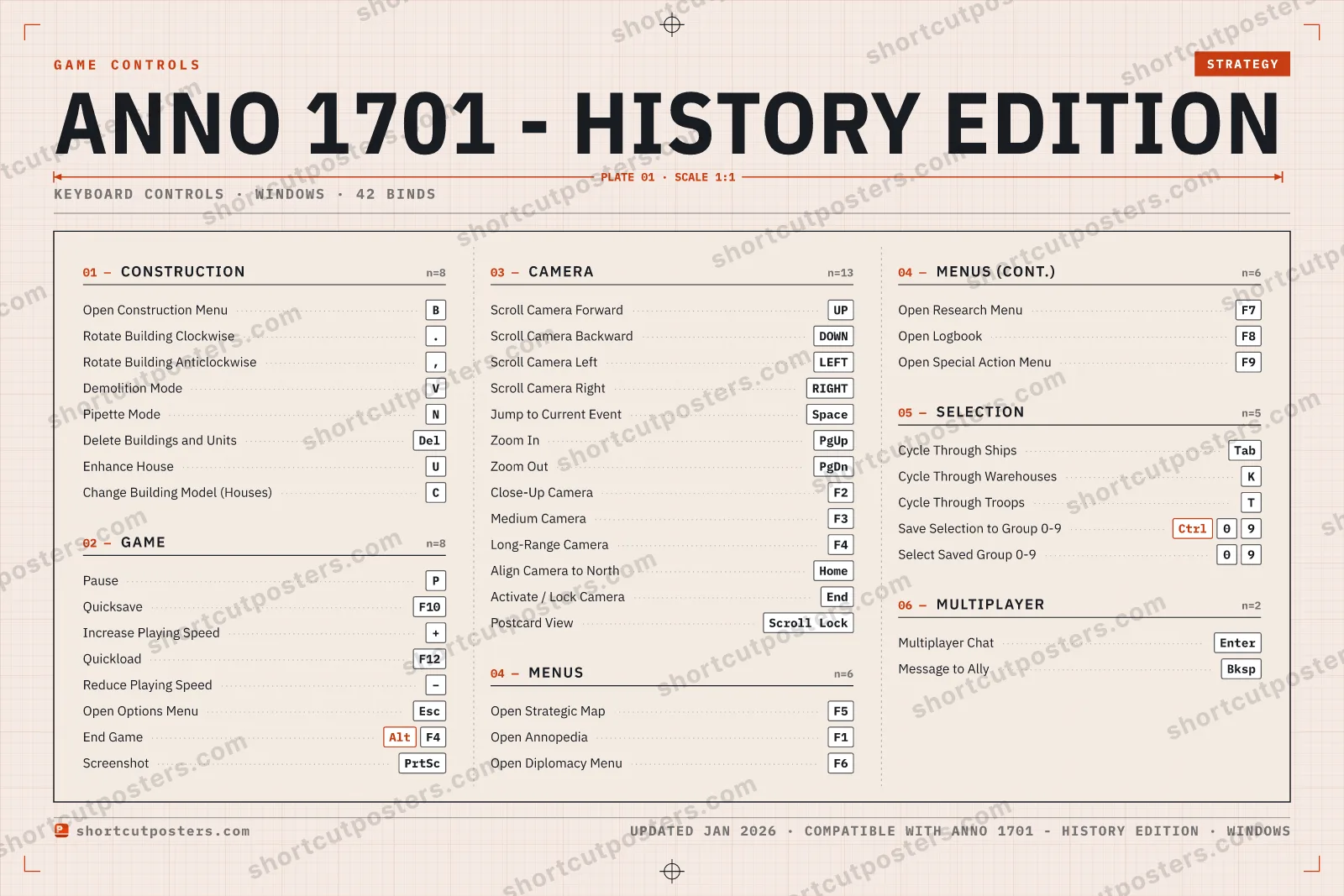
All Anno 1701 - History Edition keyboard controls
42 shortcuts
Camera 13
| Action | Shortcut |
|---|---|
| Scroll Camera Forward | UP |
| Scroll Camera Backward | DOWN |
| Scroll Camera Left | LEFT |
| Scroll Camera Right | RIGHT |
| Jump to Current Event | Space |
| Zoom In | PgUp |
| Zoom Out | PgDn |
| Close-Up Camera | F2 |
| Medium Camera | F3 |
| Long-Range Camera | F4 |
| Align Camera to North | Home |
| Activate / Lock Camera | End |
| Postcard View | Scroll Lock |
Construction 8
| Action | Shortcut |
|---|---|
| Open Construction Menu | B |
| Rotate Building Clockwise | . |
| Rotate Building Anticlockwise | , |
| Demolition Mode | V |
| Pipette Mode | N |
| Delete Buildings and Units | Del |
| Enhance House | U |
| Change Building Model (Houses) | C |
Game 8
| Action | Shortcut |
|---|---|
| Pause | P |
| Quicksave | F10 |
| Increase Playing Speed | + |
| Quickload | F12 |
| Reduce Playing Speed | − |
| Open Options Menu | Esc |
| End Game | AltF4 |
| Screenshot | PrtSc |
Menus 6
| Action | Shortcut |
|---|---|
| Open Strategic Map | F5 |
| Open Annopedia | F1 |
| Open Diplomacy Menu | F6 |
| Open Research Menu | F7 |
| Open Logbook | F8 |
| Open Special Action Menu | F9 |
Selection 5
| Action | Shortcut |
|---|---|
| Cycle Through Ships | Tab |
| Cycle Through Warehouses | K |
| Cycle Through Troops | T |
| Save Selection to Group 0-9 | Ctrl09 |
| Select Saved Group 0-9 | 09 |
Multiplayer 2
| Action | Shortcut |
|---|---|
| Multiplayer Chat | Enter |
| Message to Ally | Bksp |
Sourced from scribd.com, pcgamingwiki.com Last verified
+ 8 more controls in the table below
+ 8 more controls in the table below
42 default keybinds across 6 categories. Most can be reassigned in Anno 1701 - History Edition's control settings.
Unofficial reference. ShortcutPosters is not affiliated with, endorsed by, or sponsored by Anno 1701 - History Edition. All product names, logos, and trademarks are property of their respective owners. See our licensing & trademark notice.
Anno 1701 - History Edition, framed.
Every bind, razor-sharp.
Print-ready 36×24″ at 300 DPI. No watermark. Hang it, gift it, or turn it into a desk mat.
- Free preview
- 1600 px · watermarked
- Print-ready
- 10 800 px · frame quality
- Frame it36×24″, A1 or A2
- Desk matany print shop
- Gift itfor your duo or squad
Anno 1701 - History Edition controls — FAQ
- What are the default controls for Anno 1701 - History Edition?
- Anno 1701 - History Edition, a strategy game, uses 42 default keybinds across 6 categories. The complete, up-to-date list is free to read on this page.
- Can you remap Anno 1701 - History Edition controls?
- Yes. These are the game's default bindings — nearly all of them can be reassigned from Anno 1701 - History Edition's in-game control or key-binding settings.
- Which platforms do these Anno 1701 - History Edition controls cover?
- These keyboard controls apply on Windows. Most bindings are identical across platforms unless noted.
- Is this an official Anno 1701 - History Edition resource?
- No. This is an unofficial reference and is not affiliated with or endorsed by Anno 1701 - History Edition or its publisher. All trademarks belong to their respective owners.
Thanks — your feedback helps us improve.
Anno collection
6 Anno games in the catalogue, every control scheme free to read.
See all 6 Anno games →