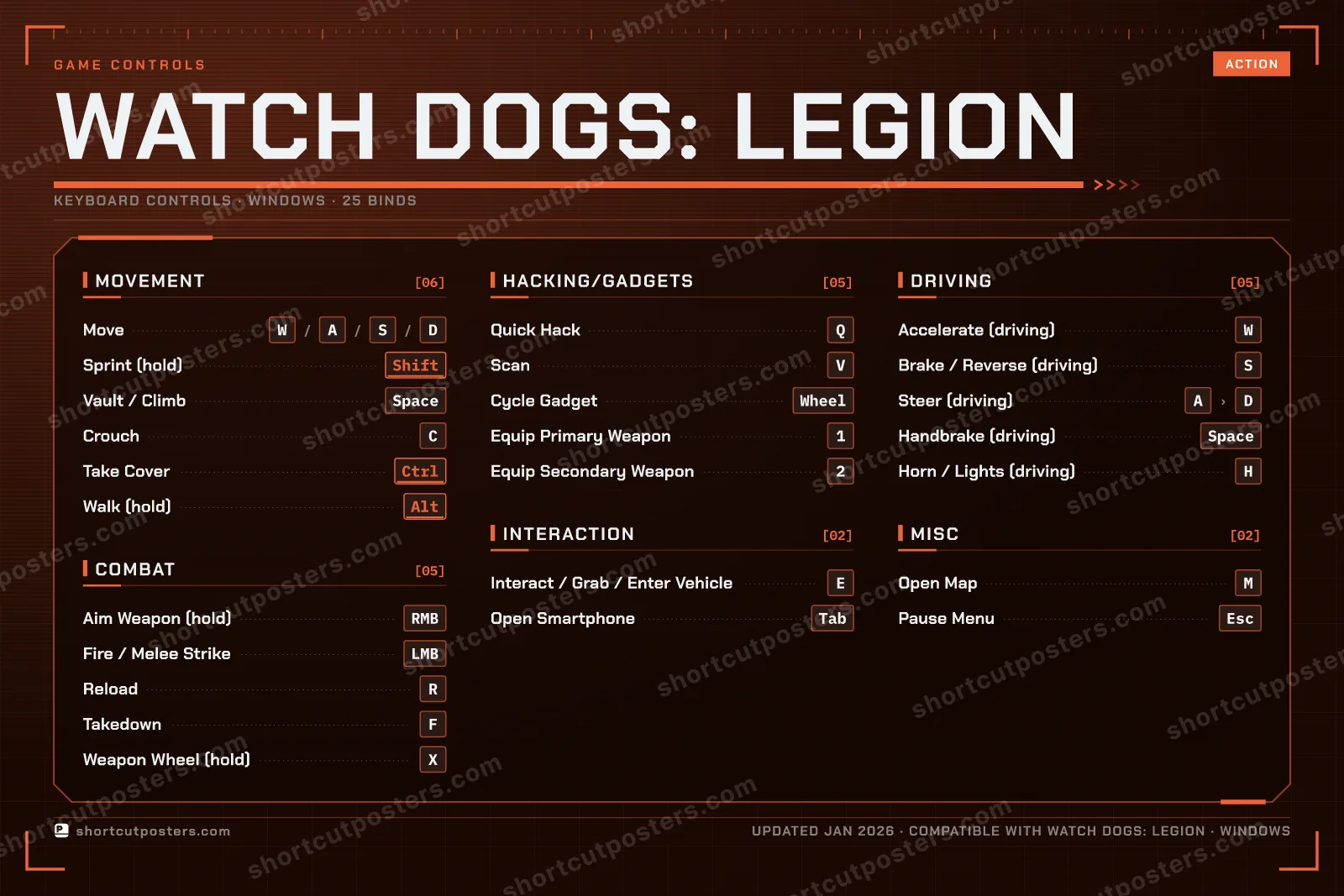
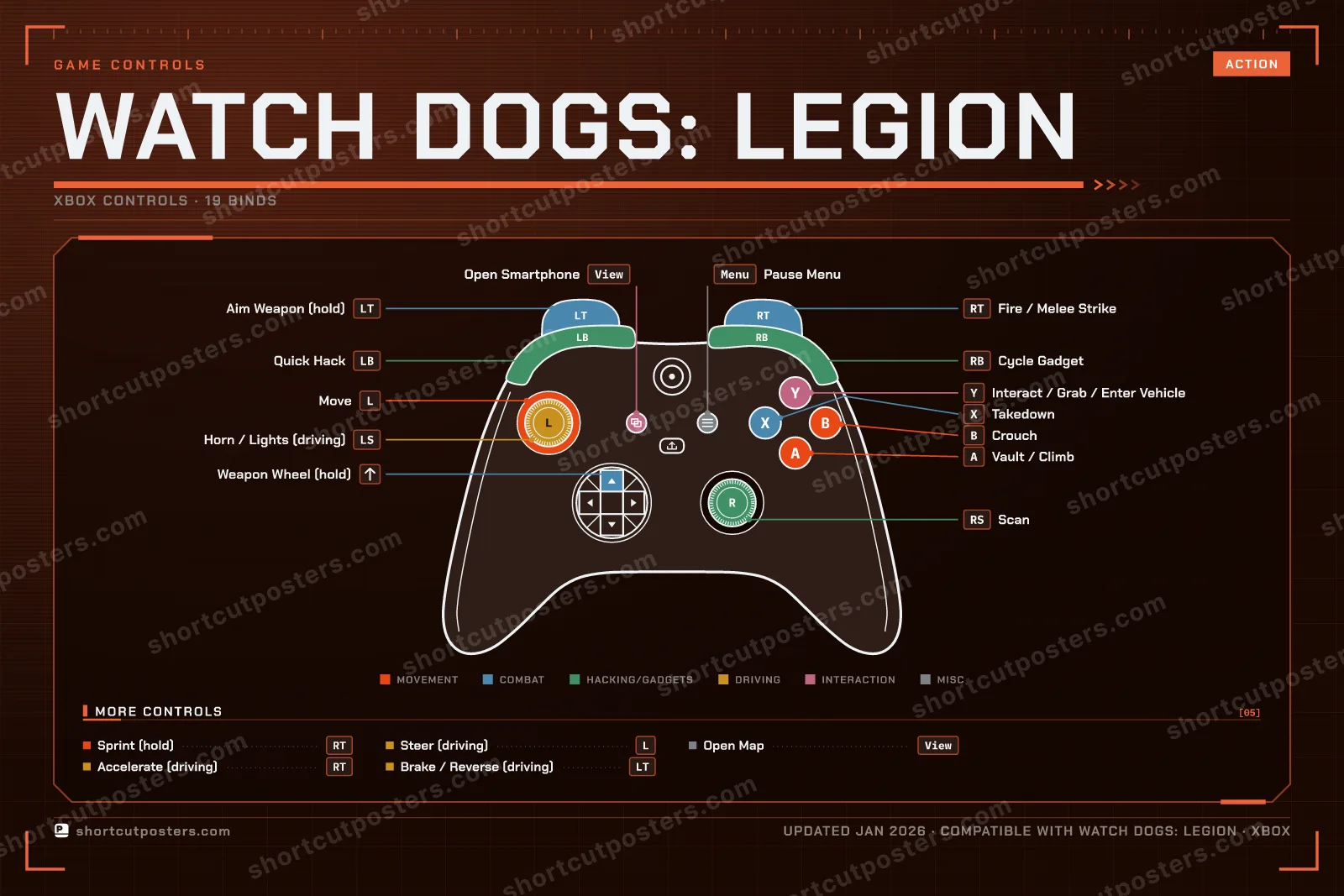
Default PC keyboard and mouse controls for Watch Dogs: Legion, Ubisoft's open-world hacking game set in a near-future London. Covers movement, combat, hacking and gadgets, driving, and interaction. All controls can be rebound in the in-game Controls settings.
25 default keybinds across 6
categories. Most can be reassigned in Watch Dogs: Legion's control
settings.
Switch to Gamepad to see Xbox, PlayStation and Steam Deck buttons side by side.
Unofficial reference. ShortcutPosters is not affiliated with, endorsed by, or
sponsored by Watch Dogs: Legion. All product names, logos, and trademarks are property of
their respective owners. See our licensing & trademark
notice.
Put it on your wall
Watch Dogs: Legion, framed. Every bind, razor-sharp.
Print-ready 36×24″ at 300 DPI. No watermark. Hang it, gift it, or turn it into a desk mat.
One file: the keyboard poster and the Xbox, PlayStation and Steam Deck controller posters.
What are the default controls for Watch Dogs: Legion?
Watch Dogs: Legion, a action game, uses 25 default keybinds across 6 categories — on keyboard and controller. The complete, up-to-date list is free to read on this page.
Can you remap Watch Dogs: Legion controls?
Yes. These are the game's default bindings — nearly all of them can be reassigned from Watch Dogs: Legion's in-game control or key-binding settings.
Does Watch Dogs: Legion support a controller?
Yes — Watch Dogs: Legion has full gamepad support. The Xbox, PlayStation and Steam Deck button maps are shown on this page alongside the keyboard controls.
Which platforms do these Watch Dogs: Legion controls cover?
These keyboard controls apply on Windows. Watch Dogs: Legion also released on Xbox and PlayStation, and this page carries those controller bindings too. Most bindings are identical across platforms unless noted.
Is this an official Watch Dogs: Legion resource?
No. This is an unofficial reference and is not affiliated with or endorsed by Watch Dogs: Legion or its publisher. All trademarks belong to their respective owners.