
Pokémon Scarlet and Violet Nintendo Switch controls
- Nintendo Switch
- 12 default controls
- RPG →
- Pokémon collection →
Cover art © its publisher — for identification only. Cover © its publisher. Details
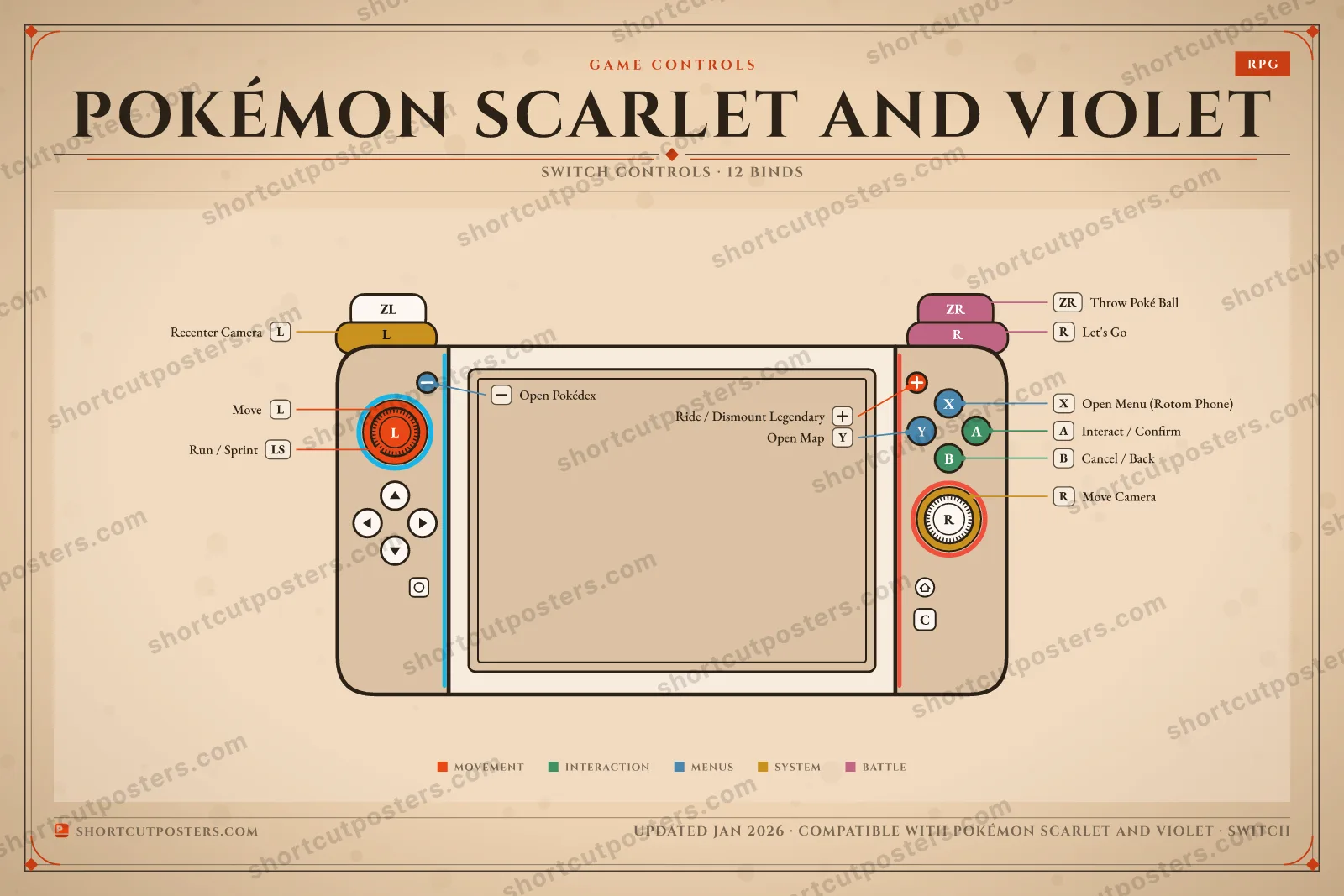
The complete default keyboard control scheme for Pokémon Scarlet and Violet, grouped by category and free to read. These are the game's default bindings — most can be remapped in the in-game settings.
All Pokémon Scarlet and Violet controls
Movement 3
| Action | Switch |
|---|---|
| Move | L-Stick |
| Run / Sprint | LS |
| Ride / Dismount Legendary | + |
Menus 3
| Action | Switch |
|---|---|
| Open Menu (Rotom Phone) | X |
| Open Map | Y |
| Open Pokédex | − |
Interaction 2
| Action | Switch |
|---|---|
| Interact / Confirm | A |
| Cancel / Back | B |
System 2
| Action | Switch |
|---|---|
| Move Camera | R-Stick |
| Recenter Camera | L |
Battle 2
| Action | Switch |
|---|---|
| Let's Go (send out lead Pokémon) | R |
| Throw Poké Ball | ZR |
Sourced from strategywiki.org, progameguides.com, game8.co Last verified Shortcuts last changed
12 actions mapped to the Nintendo Switch controller, grouped by category. Hover any button to read its action.
Unofficial reference. ShortcutPosters is not affiliated with, endorsed by, or sponsored by Pokémon Scarlet and Violet. All product names, logos, and trademarks are property of their respective owners. See our licensing & trademark notice.
Pokémon Scarlet and Violet, framed.
Every bind, razor-sharp.
Print-ready 36×24″ at 300 DPI. No watermark. Hang it, gift it, or turn it into a desk mat.
One file: the Switch controller poster.
PNG + print-ready PDF
- Free preview
- 1600 px · watermarked
- Print-ready
- 10 800 px · frame quality
- Frame it36×24″, A1 or A2
- Desk matany print shop
- Gift itfor your duo or squad
Pokémon Scarlet and Violet controls — FAQ
- What are the default controls for Pokémon Scarlet and Violet?
- Pokémon Scarlet and Violet, a rpg game, maps 12 actions to the Nintendo Switch controller. The complete button layout is shown on this page, free to read.
- What buttons do you use in Pokémon Scarlet and Violet?
- Every Pokémon Scarlet and Violet action is mapped to its Nintendo Switch button on this page — face buttons, triggers, sticks and the d-pad — so you can see the whole control scheme at a glance.
- Can you remap Pokémon Scarlet and Violet controls?
- These are the game's default bindings. Remapping depends on the title and the Nintendo Switch's system button-mapping options.
- Is this an official Pokémon Scarlet and Violet resource?
- No. This is an unofficial reference and is not affiliated with or endorsed by Pokémon Scarlet and Violet or its publisher. All trademarks belong to their respective owners.
Thanks — your feedback helps us improve.
Pokémon collection
3 Pokémon games in the catalogue, every control scheme free to read.
See all 3 Pokémon games →